
Can ChatGPT record meetings on Windows or Linux?
By the Cohearo founders ·
Not yet. ChatGPT's Meetings plugin can't record meetings or take meeting notes on Windows or Linux. OpenAI says it's in beta on the macOS desktop app, for Pro and Business plans, with iOS, Android and Windows "coming soon." It doesn't list Linux. If you're not on a Mac today, your options are your meeting platform's built-in notes, or a desktop app that captures audio on your computer.
ChatGPT Meetings at a glance (checked November 6, 2026)
- Availability: beta, ChatGPT desktop app on macOS.
- Plans: all Pro and Business plans. Enterprise is in a limited alpha.
- Capture: your microphone and your Mac's system audio. No bot joins.
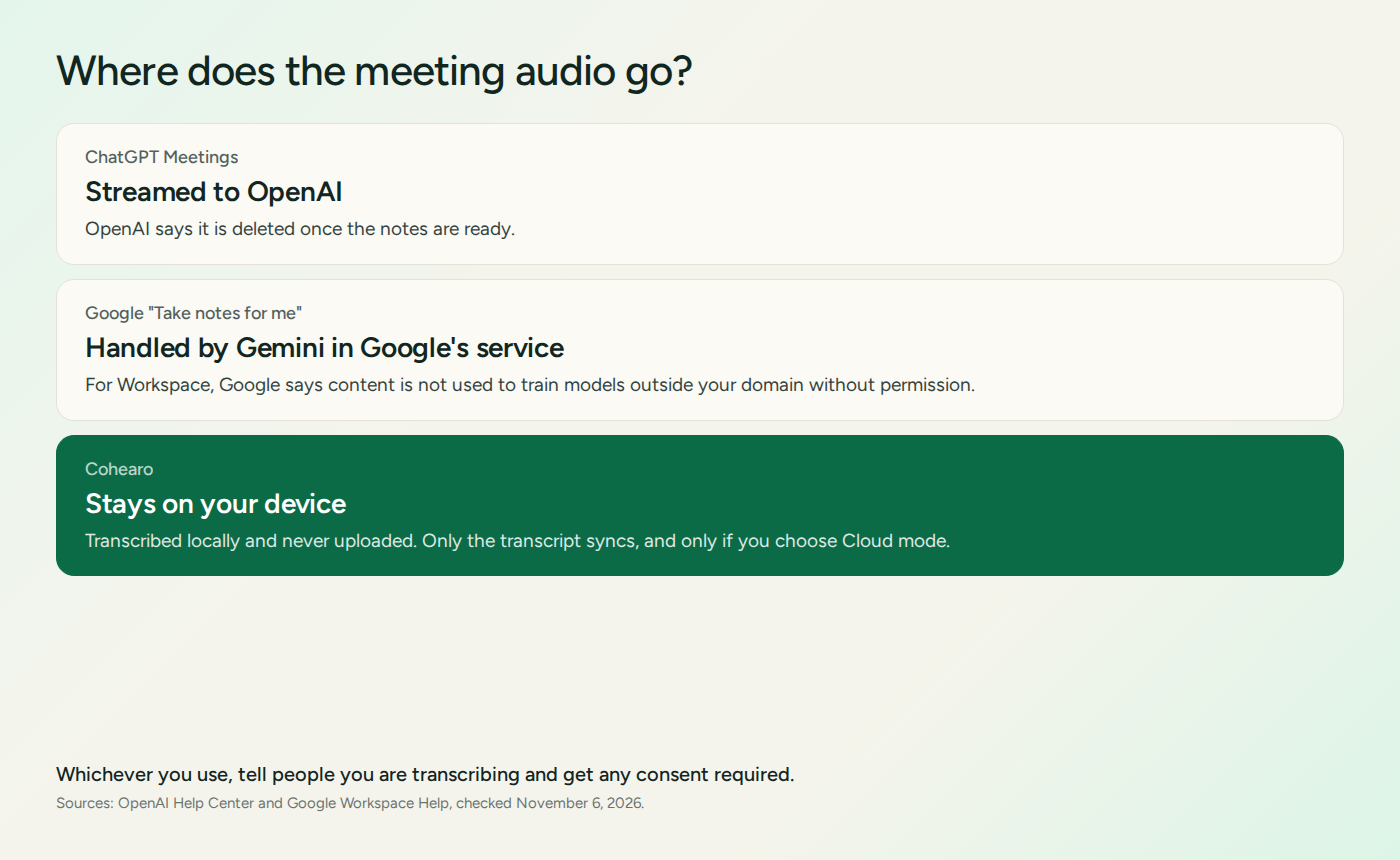
- Audio: streamed to OpenAI, then deleted from your Mac and OpenAI's servers once the notes are ready.
- Consent: OpenAI tells you to get everyone's consent first. Its reminder appears only to you.
Source: OpenAI Help Center.
Why people want ChatGPT meeting notes
Notetaker bots are getting harder to use. Hosts increasingly have to approve notetaker bots by hand, and some clients don't want one in the call. ChatGPT Meetings is appealing because it listens from your computer and connects the notes to the rest of your work in ChatGPT.
Meetings still sends the audio to OpenAI, so leaving out the bot only changes who is in the call.
How to record meetings on Windows or Linux
| Option | Windows | Linux | Where the audio goes | Good to know |
|---|---|---|---|---|
| Wait for ChatGPT Meetings | Coming soon, says OpenAI | Not announced | To OpenAI | Needs a Pro or Business plan |
| Google's "Take notes for me" | In the browser | In the browser | Handled in Google's service | Needs an eligible plan; one language per meeting; Meet only |
| Teams or Zoom built-in tools | Yes | Check your platform's client | Handled in that vendor's service | Depends on your plan and your host's settings |
| Cohearo | Yes | Yes | Stays on your device | Desktop app; you tell people yourself |
| Open-source apps such as Meetily or Anarlog | Yes | Anarlog yes; check others | Check each tool's local and cloud modes | Often more setup; check speaker labels and Linux support |
When an on-device app makes sense
Choose on-device transcription if one of these sounds like you:
- You're on Linux, or your company uses Windows and you can't wait.
- You work across Meet, Teams and Zoom, and want one tool for all of them.
- Your calls are confidential, and you'd rather not send the audio anywhere.
- You also need in-person meetings or old recordings in the same place.
If your whole company already works inside ChatGPT on Macs, Meetings may be the simpler choice, and it can use context from the apps you've connected.
How Cohearo differs
Cohearo runs on Windows, macOS and Linux. It transcribes on your device in real time and labels who said what. Your audio is never uploaded.
- In On-device mode, the transcript stays on your machine too.
- In Cloud mode, only the transcript syncs to your account, and you can use it from ChatGPT or Claude.
- AI summaries are optional. They send the transcript text to a cloud model when you ask for one.
Transcription quality depends on your computer and the model you choose. Test it on a real meeting before you rely on it.
Questions to ask any meeting tool
Whichever you choose, ask these before you turn it on:
- Does the audio leave my computer? If so, where does it go?
- How long is it kept, and can I get it back?
- Can my audio or transcripts be used for training on my plan?
- Who else can see the notes by default?
- How do the other people in the call find out?
You have to tell people with every tool here, including ours. Rules vary by place, and some require everyone's consent.
More on meetings
Google Meet AI notetaker flagged as a risk? What changed
Is your AI notetaker stuck outside Google Meet, or listed under "With potential risks"? Here is what changed, how to admit it, and your options.
How to record and transcribe an in-person meeting
AI note takers that join calls can't help in a room. Here is how to record and transcribe an in-person meeting, with speakers labeled.