
Meeting transcription without a bot
Cohearo captures the audio your machine is playing, transcribes it while the conversation happens, and keeps the audio and the transcript on your device. No bot joins the room, and no audio leaves your computer.
How to transcribe a meeting without a bot
A meeting bot shows up in the participant list, and everyone sees when it joins. Cohearo works differently: it captures what your machine is playing — the call — along with your microphone, and transcribes both on your own device.
Turn on system audio in the preset
Before you record, open the preset and switch on Use System Audio. That is the only setting: with it on, Cohearo captures the call audio on top of your microphone.
Hit record and carry on
The meeting goes on as usual. Cohearo shows the waveform and a dot that lights up when someone is talking.
The transcript appears during the call
Lines show up on screen while the conversation happens. When you stop the recording, the finished transcript is saved in the app.
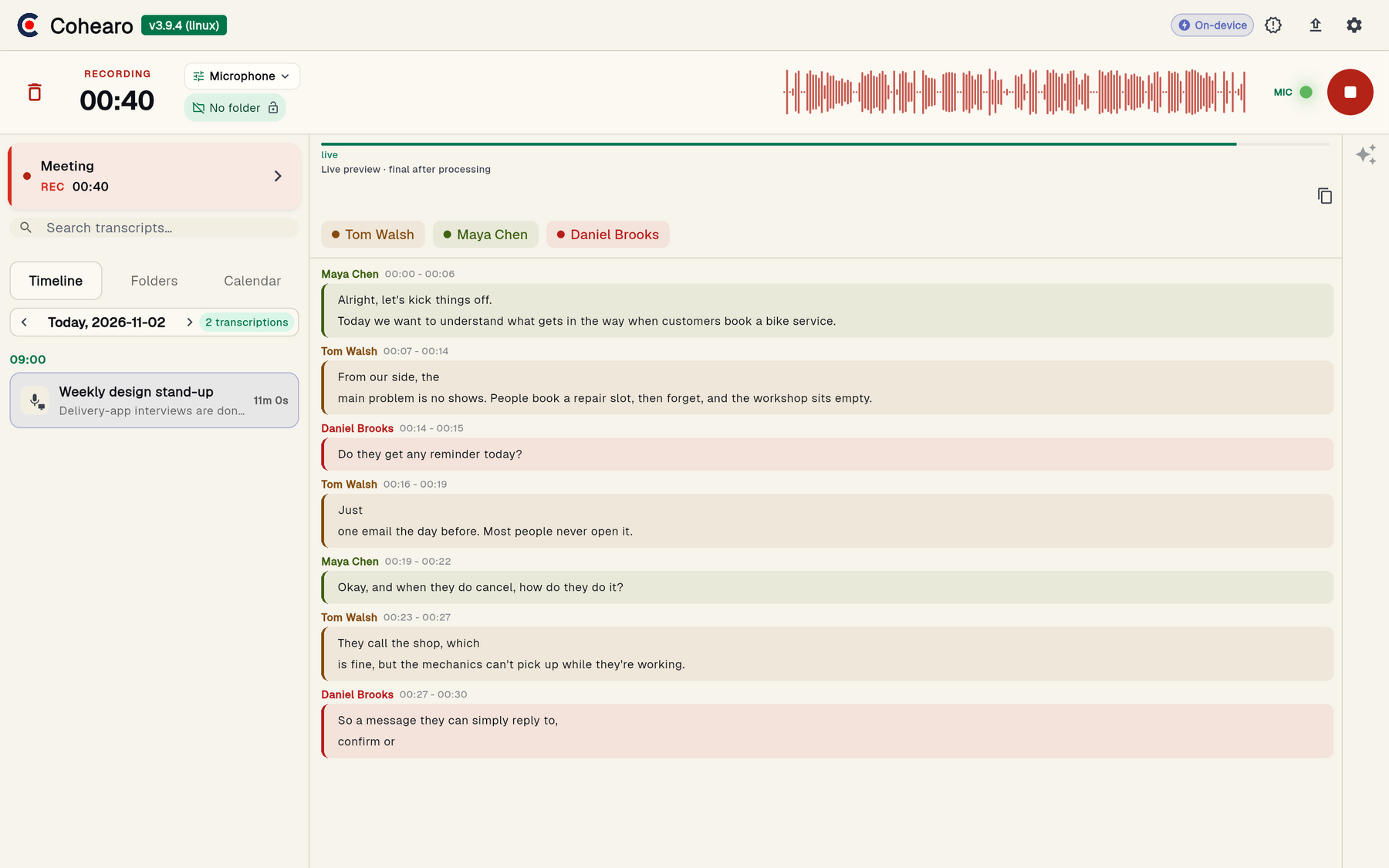
None of that needs an internet connection: recording, transcription and speaker separation all run on your computer.
Works with Google Meet, Teams, Zoom and in-person meetings
On the desktop, Cohearo captures system audio, so it works with any app that makes sound — Google Meet, Microsoft Teams, Zoom, Slack Huddles — with nothing to install on the other side. For an in-person meeting, it is the microphone: put the computer on the table and record the room.
Google Meet
System audio, on the desktop
Microsoft Teams
System audio, on the desktop
Zoom
System audio, on the desktop
In-person meeting
Microphone, nothing to install
macOS and Windows are fully supported. On Linux, Cohearo requires glibc 2.38 or newer. Android and iOS are in early access, and on mobile there is only the microphone — no system audio capture.
What stays on your device, and what does not
Recording, transcription and speaker separation run on your computer. The service has no audio upload path: raw audio never leaves your computer to be processed. It is not a setting someone can flip in a policy update; it is the architecture.
Audio recording
- On your device
- Always
- In the cloud
- Never
Transcription
- On your device
- Always, unlimited
- In the cloud
- Never
Speaker separation
- On your device
- Always, unlimited
- In the cloud
- Never
Transcript sync
- On your device
- Optional
- In the cloud
- Finished text, in Cloud mode
AI enhancement
- On your device
- —
- In the cloud
- Sends the text, never the audio
Voice embeddings
- On your device
- Stay on the device
- In the cloud
- Name only, if you sync

The three steps that use the cloud are AI enhancement, the live chat during a recording, and syncing to your account — all three optional, and none of them carries the audio, only the text.
From the transcript to meeting minutes
After the meeting, you turn the transcript into minutes, a user story or a report with the ready-made presets. The prompt is yours, written in a sentence. This step leaves the device: the transcript text and your instruction go to the cloud, the audio never does.
AI connector (MCP)
Connect Cohearo to Claude or ChatGPT and ask about your recordings. The connector reads what is synced to your account — anything you never synced is invisible to it.
Webhooks
On Professional, every finished transcript becomes a POST to your own tools — in local mode too, as long as the subscription is active.
Export
PDF from the dashboard, in Cloud mode. The original audio file, during the 72 hours it stays on your disk. And the transcript, copied to your clipboard as soon as it is ready.
Does it identify who spoke?
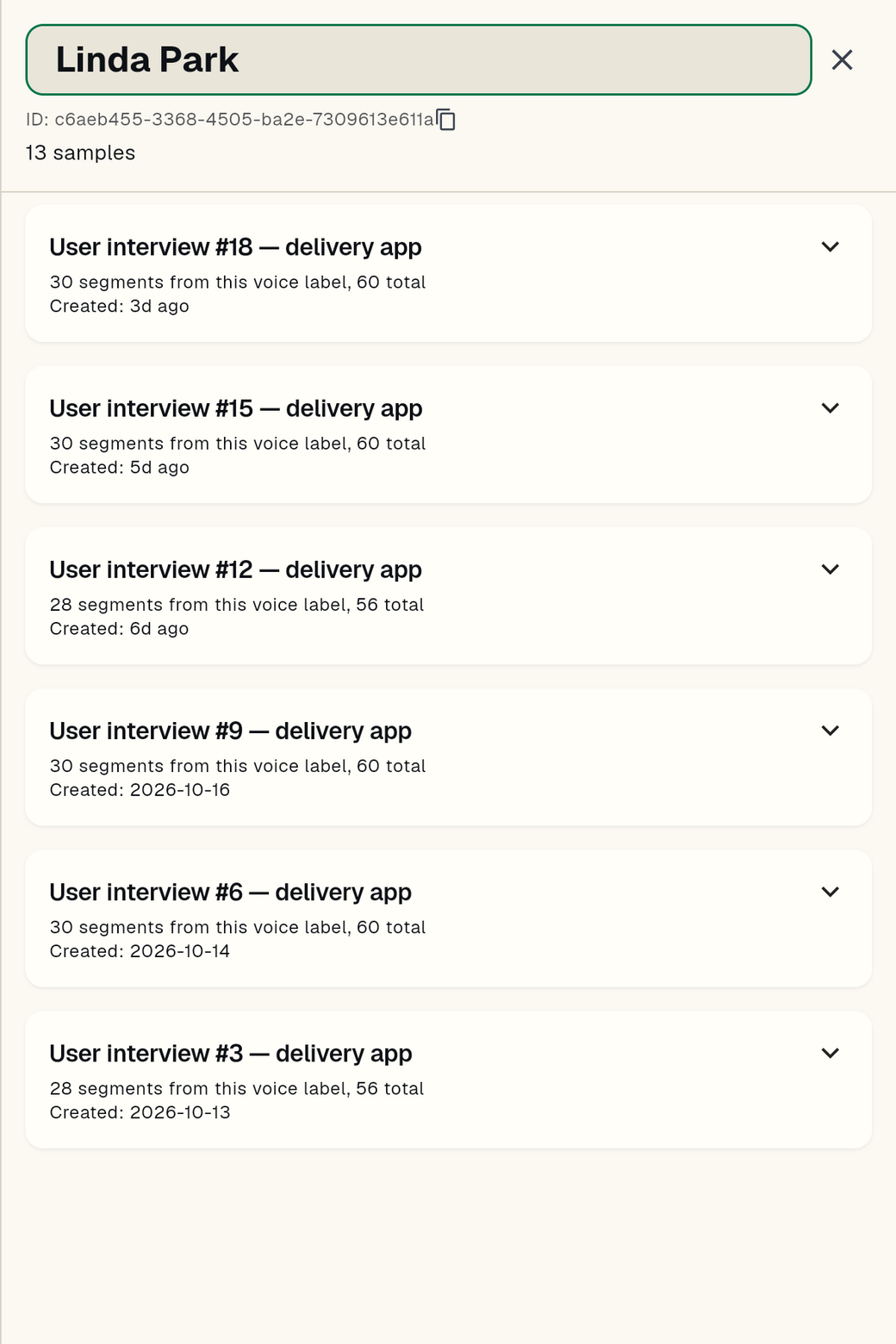
Speaker separation runs locally and is not limited by language: it recognizes voices, not words. In the app, each person gets a speaker chip, and the transcript comes out marked with who spoke.
Out of the box, whoever talks is "Speaker 1", "Speaker 2". A real name takes training — and the training is per person, on your device.
Portuguese is one of the 25 languages Cohearo transcribes, detected automatically, with no language picker anywhere.
Is there a free version?
Yes. Free Personal is free forever, with no card: recording, transcribing and separating speakers is unlimited on every plan, because it runs on your machine and costs us nothing. AI enhancement is the part with a quota — 8 a month on the free plan.
Professional costs $12 per user per month, with 100 AI enhancements a month and a 14-day trial. Starting the trial asks for a payment method, but nothing is charged during it.
No bot does not mean no notice
Nobody sees a bot join, so telling the participants is still your responsibility. The person recording is the one giving the notice — not the tool. Our Privacy Policy is explicit: whoever records needs a legal basis and must give the required notice before recording people. A transcript is not automatically sensitive personal data, but it can contain health, biometric, religious or political data — and then the LGPD asks for more.
This is general guidance, not legal advice. For your case, talk to a professional.
Frequently asked questions
Do I have to install anything?
Yes. Cohearo is a desktop app for macOS, Windows and Linux. The download comes after the free account: the dashboard issues the right installer for your system.
Does it work offline?
Recording, transcription and speaker separation work offline, on every plan. AI enhancement, the live chat during a recording (available on Professional) and syncing to your account need a connection.
Does it work in Portuguese?
Yes. Portuguese is one of the 25 languages Cohearo transcribes on-device, detected automatically — there is no language picker anywhere. Recognizing people's names takes training that person's voice profile, and the training happens on your device.
Can I transcribe an in-person meeting?
Yes. It is the microphone: put the computer on the table and record the room. No system audio, no bot, and nothing to install on the other side.
Can I export the transcript?
Yes: a dashboard PDF (in Cloud mode), the original audio file during the 72 hours it stays on your disk, and the transcript on your clipboard.
Is my data used to train AI?
No. We never use transcripts to train Cohearo's models or anyone else's. AI enhancement goes through OpenRouter, with zero data retention enabled on our account: it covers the content sent for processing, not what you store in your Cohearo account or an external assistant you connect through the MCP connector. Voice recognition training happens on your device, tied to your account, so you can delete it whenever you want. Read the Privacy Policy
Try Cohearo
Free forever, no card. Record a meeting and watch the transcript appear on your own machine.