
For product managers
Dictate a user story while the context is fresh
You’ve just finished a long discovery session with a user. You understand their pain points and know what the development team needs to build. But you couldn’t capture everything in your notes, and much of the context is still in your head.
While it’s fresh, talk it through in Cohearo. Describe who the story is for, what they need, and why it matters. Use a preset configured for user stories, like the User Story preset in our demo, to turn that recording into a draft with acceptance criteria, ready for you to review and paste into Jira, Linear, or whichever tracker you use.
Here’s what that looks like:
Before handing the story over, check that the draft preserves your intent and that its acceptance criteria describe the behavior you actually want.
Make the preset work the way you do
You can edit the preset’s AI enhancement prompt to shape the output. For example:
- Your preferred format. Ask for an “As a… I want… so that…” user story, with acceptance criteria written as a checklist or as Given/When/Then scenarios in Gherkin.
- The checks you’ve learned to make. Include recurring pitfalls and domain rules in the prompt. Ask the AI to flag missing information as an open question instead of inventing a requirement.
In our experience, this separation makes dictation easier: you focus on the specification, while the saved prompt tells the AI how to organize it. You can reuse those instructions for the next story without repeating them each time.
Edit the prompt once, reuse it for each story
Create a preset or open an existing one, then select the AI tab. Turn on Enhance with LLM and select Custom Prompt.
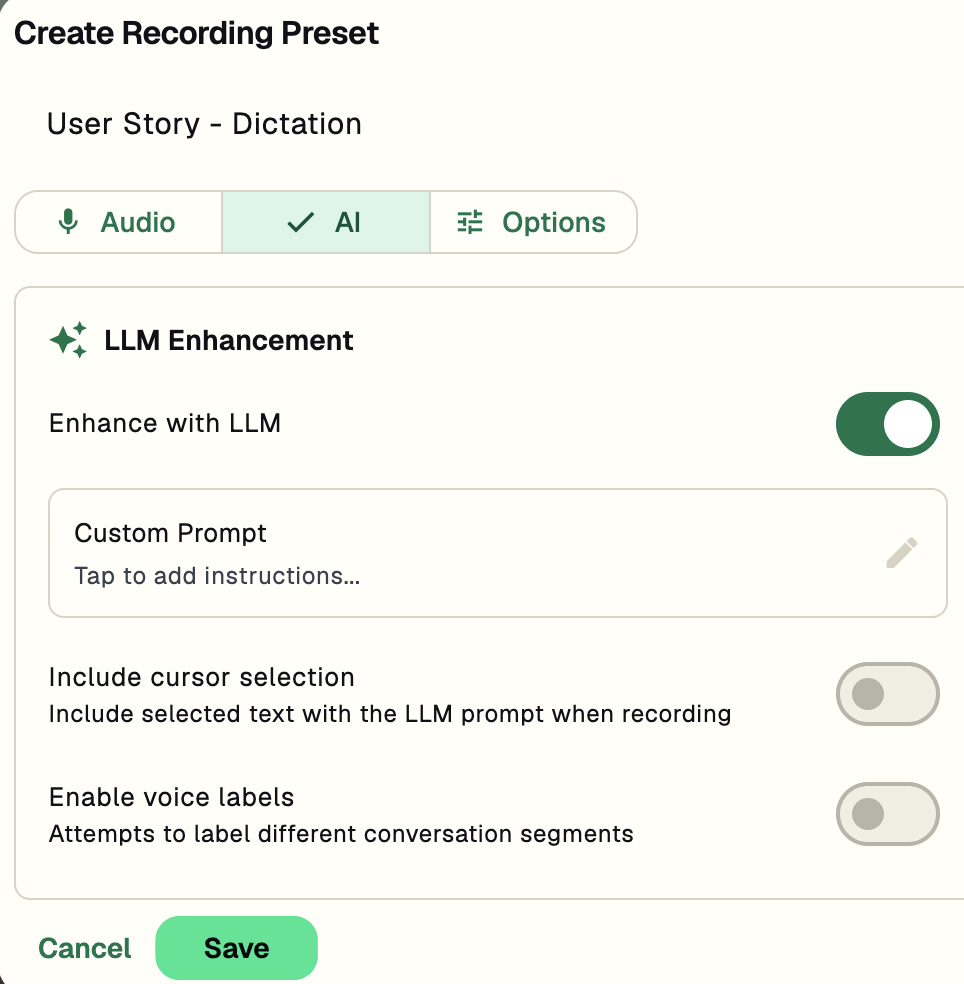
In Edit LLM Prompt, describe the context you want to reuse and the structure you want back. This example includes the project’s domain and asks for a title, description, and acceptance criteria. Save the prompt, then save the preset.
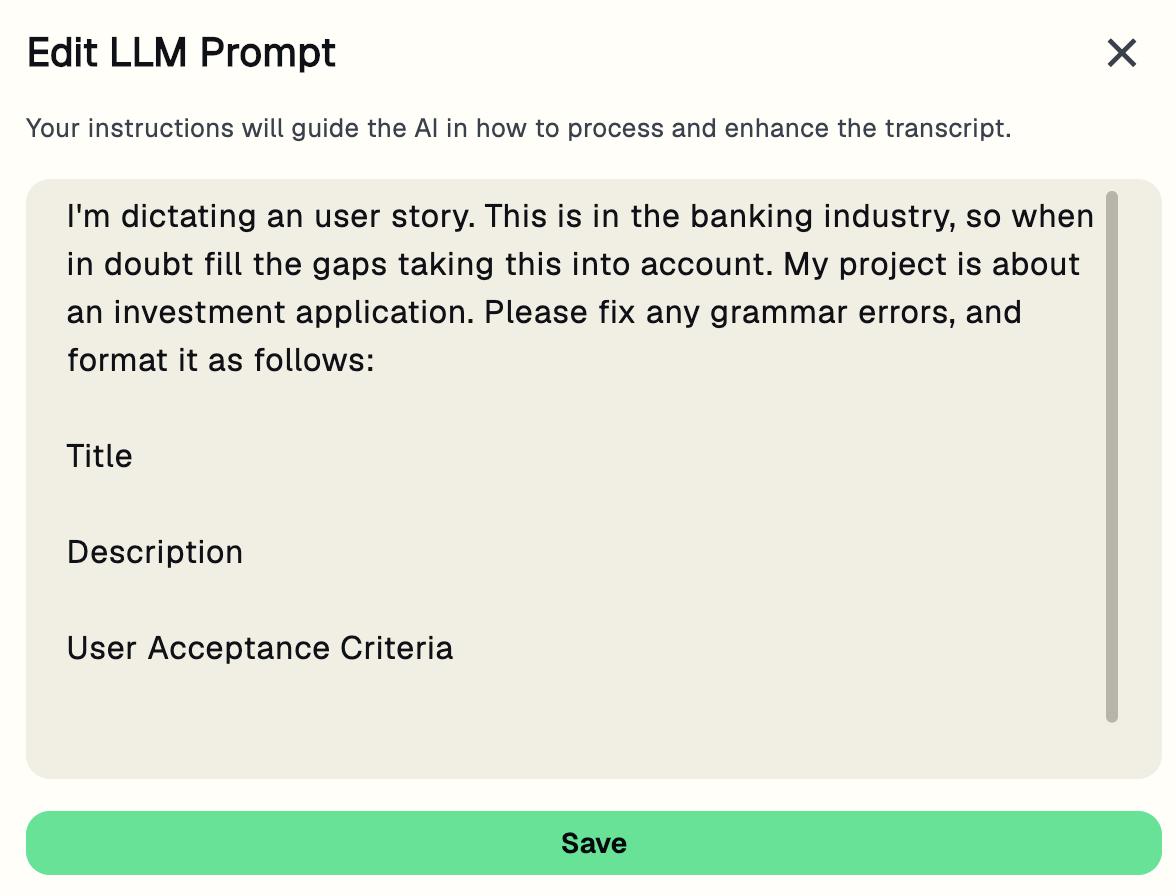
The example asks the AI to fill gaps using domain context. Review any resulting assumptions; if you want to keep unknowns explicit, ask it to list open questions instead.
Start from the discussion, too
You can also record the discussion itself. Cohearo captures meeting audio and separates speakers, helping you follow who said what. We’ll show that workflow in a follow-up.
Try Cohearo for free
Dictate one story you’re working on, and tell us: what did you need to change before it was ready to share?